All articles · New in KMU | base
POS | base – the POS system for your SME
POS | base is the POS system of KMU | base: shop, counter, restaurant and on the go – every receipt instantly in Finance | base. CHF 29 per till and month.
POS | base is the POS system of KMU | base. You sell in the shop, at the counter, in the restaurant or on the go – in the browser, on a tablet and in the app for iPad, iPhone and Android. Every receipt appears in Finance | base at the same moment, with VAT, and takes the goods out of stock. Till and bookkeeping become one job instead of two.
KMU | base is the software for the whole SME: HR, finance, sales, quality, documents and website – six apps, fully integrated from a single provider. POS | base extends this family. Your team clocks in with HR | base, sells with POS | base, and the revenue is already posted in Finance | base – with no interface.
What POS | base does
- Selling: tap, search or scan items – with a hand scanner or the device camera. Items and prices come straight from Finance | base.
- Discounts and customers: discount on a line or on the whole receipt, assign a customer, park a sale and continue it later.
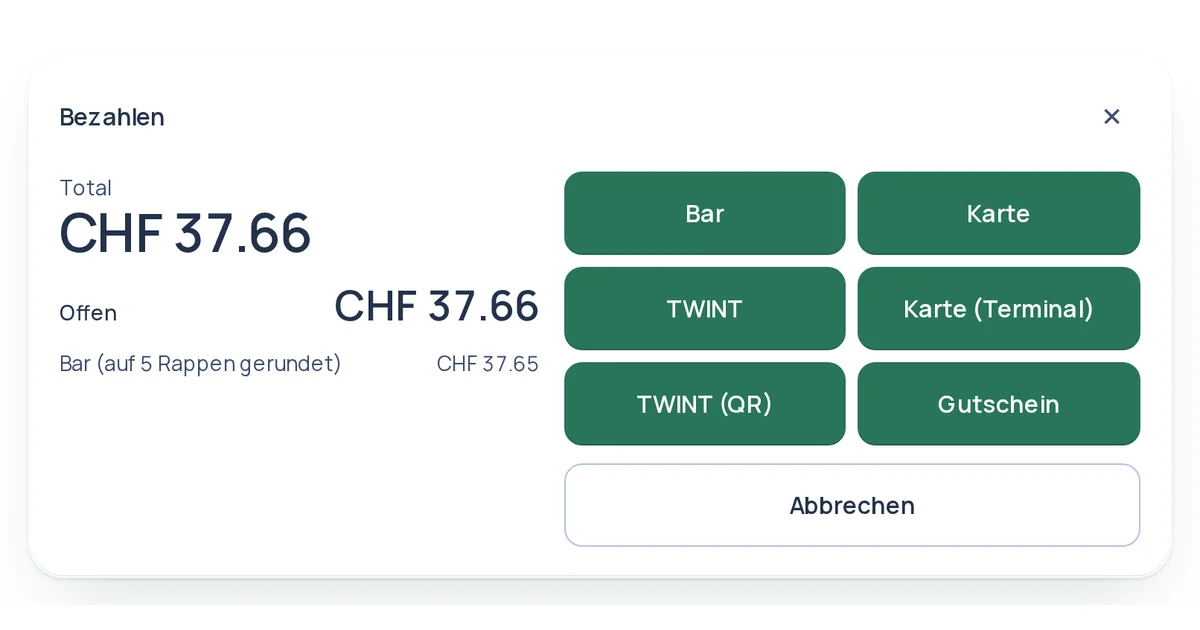
- Payment: cash with rounding to 5 centimes and change, by voucher or on invoice with open item and dunning.
- Card and TWINT: through the connected card terminal or with Tap to Pay right on iPhones and Android devices with NFC; the receipt only closes once the payment is confirmed. We set up card payments and TWINT with you – also with your own payment provider. An existing payment terminal simply keeps working.
- Self-checkout: a tablet becomes a self-service till where customers scan themselves and pay by card or TWINT.
- Receipts: gapless receipt number per till, receipt as a PDF for printing. Every receipt is immutable from the start.
- Vouchers and returns: sell and redeem vouchers, return with receipt in cash or as a voucher. Vouchers and discount codes work in the shop and in the Online | base web shop alike, with the same stock.
- End of day: X report as an interim status, Z closing with a count per note and coin, Z report as a PDF.
- Selling without a connection: if the internet goes down, the till keeps selling. Receipts are sent automatically once the connection is back – each exactly once.
- Customer display and training mode: a second screen shows customers the basket, total and change. In training mode, new staff practise without anything being booked.
Restaurant, café and bar
Table plan with areas, orders per table with courses and notes for the kitchen, ordering device at the table, kitchen and bar display with running time. You split the bill by items or into equal parts, to the centime and with tips. Ordering devices and displays do not count as tills.
Everything straight into the books
Every receipt books revenue, VAT, cash, vouchers, tips and rounding at the same moment. Stock items leave the stock when sold. Customers and items come from Finance | base – no second master data and no retyping in the evening. With the roles “Till” and “Store manager”, cashiers need no accounting rights; at the till, the team signs in with a personal till PIN.
Who it is for
- Retail: shop till with scanner, vouchers, returns and end-of-day closing.
- Trades with counter sales: sell spare parts and small materials straight from the counter, in cash or on invoice.
- Restaurants, cafés and bars: tables, ordering device, kitchen display and split bills.
- Service providers: charge services and products on site, with a fixed item or a free amount.
Price
CHF 29 per till and month, all features included, no add-on modules. Every till that issues at least one receipt in the month counts; ordering devices, kitchen displays and customer displays do not.
Small print: the basic package and Finance | base are required. Up to 20 employees, this costs CHF 107 per month with one till and CHF 165 with three tills, all prices excluding VAT. Hardware is not included – you buy the tablet, receipt printer, scanner and cash drawer once; suitable devices are available from us.
How to start
Add POS | base to Finance | base under “My subscription”. In Finance | base, create your first till under “Till”, pair the device and open the first shift. You will find all details on the POS | base page. Want to try it first? The demo account comes with a till already set up with sample items.